
- Amps
- Instruments
- Pro Audio
- Accessories
- Support
- About
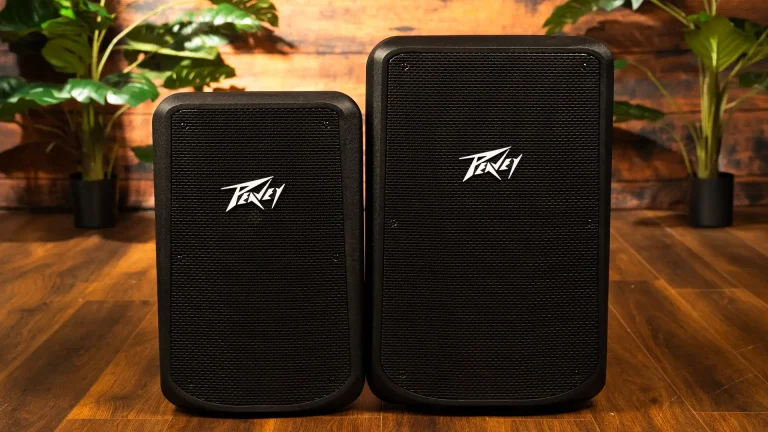
Speaker distortion is rarely a hardware problem. It's usually a gain setting that's too high, a cable that's gone bad, or an amp being pushed past its rated load.
The crackling, the harshness, the signal cutting in and out, those symptoms point to specific causes. Once you know which one, the fix takes minutes.
Here's how to work through it.
Distortion happens when any part of your signal chain is pushed beyond what it can cleanly handle. The signal breaks down, and the speaker reproduces that breakdown as audible noise.
The source of the problem can sit anywhere in the chain: your audio interface, your mixer, the amp, the cable, or the driver itself. That's why random cable swaps and volume cuts don't always work; you need to trace the signal from source to speaker, not guess from one end.
Understanding this matters because most people skip straight to the speaker and assume the driver is blown. In reality, a damaged driver accounts for a small fraction of distortion complaints. The rest comes from the equipment around it.
Cranking the volume beyond what a speaker can handle forces the cone to move too far. That's the crackling sound. That's the harshness.
Heat makes it worse. Long sessions at high volume cook the voice coil from the inside out slowly, silently.
Try this first: Cut the volume to 70%. Flatten your EQ completely. Play the same track again. If it clears up, the settings were the issue, not the hardware.
|
Symptom |
Most Likely Cause |
First Step |
|
Crackling at high volume |
Clipping or overloaded driver | Lower gain at source, flatten EQ |
|
Rattling or buzzing at all volumes |
Torn cone or loose internal component |
Inspect the driver physically |
|
Distortion only at medium-high volume |
Failing cable or loose connection |
Swap all cables |
|
Distortion that worsens over time |
Heat buildup in the voice coil |
Clear vents, reduce sustained output |
|
Weak, distorted output from the start |
Amp and speaker impedance mismatch |
Check impedance and RMS ratings |
|
Distortion only with bass-heavy content |
EQ overdriving the low-frequency range |
Reduce bass boost, check speaker specs |
| Signal cutting in and out | Bad connector or intermittent cable |
Re-seat or replace cables |
An underpowered amp strains to hit volume and clips the signal doing it. That clipping is exactly what a distorted sound issue feels like mid-show.
Too much power and you risk blowing the driver. Too little and you get an amp running hot at full load.
Match your speaker's RMS rating to your amp. It's a five-minute check that prevents most distortion issues entirely.
For pro setups where matching really matters, Peavey Electronics builds speakers and amps to the same design standards, so RMS ratings, impedance, and headroom line up without manual cross-referencing.
Hard parallel walls, corner placement, and low ceilings create standing waves and early reflections that land at the listening position, sounding like distortion. The sound is technically clean, the speaker is performing fine, but the room is turning it into something harsh and unpleasant.
A simple test: move the speaker away from the corner, angle it 10-15 degrees toward the listening position, and play the same source material. If the harshness reduces significantly, room acoustics are contributing. Adding absorption panels, repositioning the speaker, or adjusting the listening position all help more than additional EQ in this situation.
Most distortion problems are preventable with basic upkeep.
Clean the ports and vents every few months. Dust accumulation blocks airflow and raises operating temperature, which increases the chance of thermal distortion during long sessions. A can of compressed air takes 30 seconds and extends component life significantly.
Inspect cables before every session, not after problems start. Look at the connector ends specifically. Bent pins, cracked housings, and fraying near the connector are all pre-failure indicators. Replacing a cable before it fully fails costs less than diagnosing distortion mid-show.
If your speaker or processor runs firmware, check for updates periodically. Audio processing bugs introduced in older firmware versions occasionally create artifacts that sound like hardware distortion but clear up entirely after an update.
Q: Why does my speaker distort at high volumes?
Your amp or speaker is being pushed beyond its clean operating range. Lower the volume and flatten the EQ first. If the distortion clears, the settings were the cause. If it persists at moderate volume, check cables and gain staging at the mixer.
Q: Can a cable really cause speaker distortion?
Yes, and it's one of the most overlooked causes. A degraded cable creates an unstable signal path that holds up at low volumes and breaks down under load. Always swap cables before adjusting any other settings.
Q: How do I fix speaker distortion without replacing any gear?
Lower the volume to around 70%, reset your EQ to flat, clear the vents, and check every cable connection. Work through those steps in order. The majority of distortion cases resolve without any new equipment.
Q: Why does distortion only happen with bass-heavy music?
Bass frequencies require more power to reproduce. If your speaker doesn't have the excursion range or the amp doesn't have the headroom to cleanly deliver low-end at that output level, distortion is the result. Reduce the bass boost in your EQ and test again.
Q: Does overheating cause permanent damage?
Yes, over time. Heat degrades the voice coil adhesive and can deform the cone suspension. Isolated heat events may not cause immediate failure, but repeated thermal stress shortens driver life. Keep vents clear and reduce sustained high-volume output during long sessions.
Q: What are the early warning signs of developing distortion problems?
Occasional crackling at loud moments that wasn't there before, bass that sounds softer or less defined than usual, and a general harshness that builds over a session rather than being present from the start. These are all signs worth investigating before they become complete failures.
Nine out of ten speaker distortion problems come from the signal chain, not the driver. Start with the gain structure at your source. Check every cable before touching anything else. Flatten the EQ and test at a moderate volume. Address heat and ventilation if the problem builds over time.
Work through the simple causes first. Most distortion issues resolve before you get anywhere near replacing hardware.
If you're building or upgrading a rig and want speakers and amps that match out of the box, browse Peavey's lineup at peavey

